

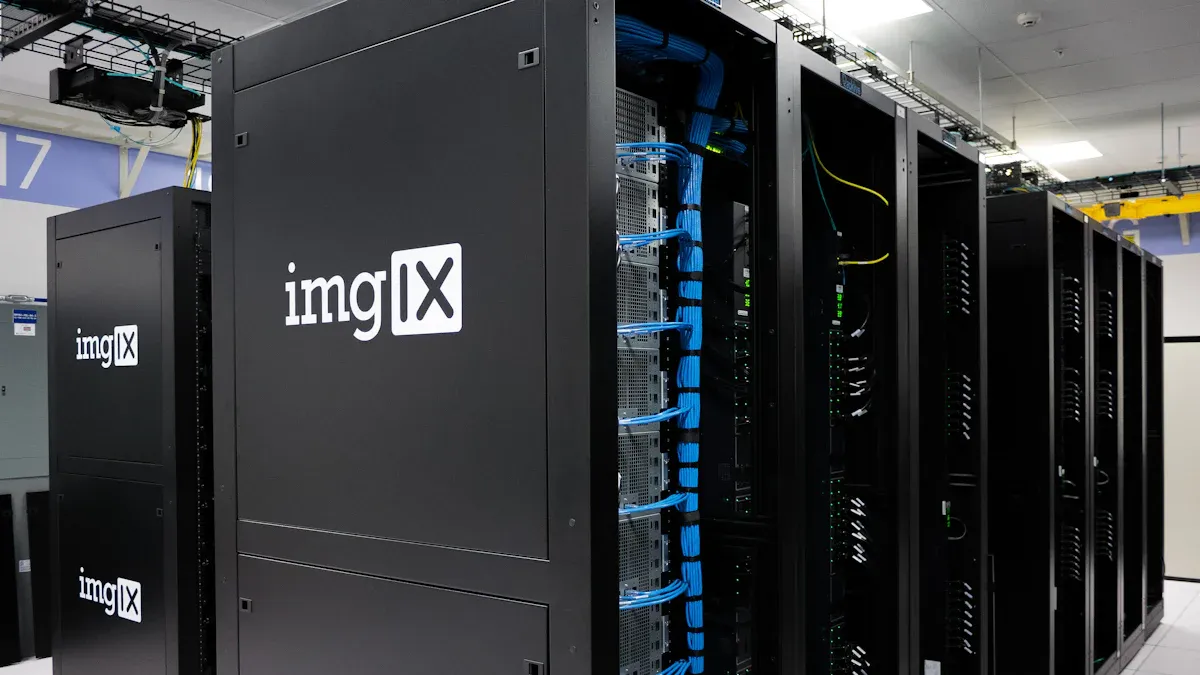
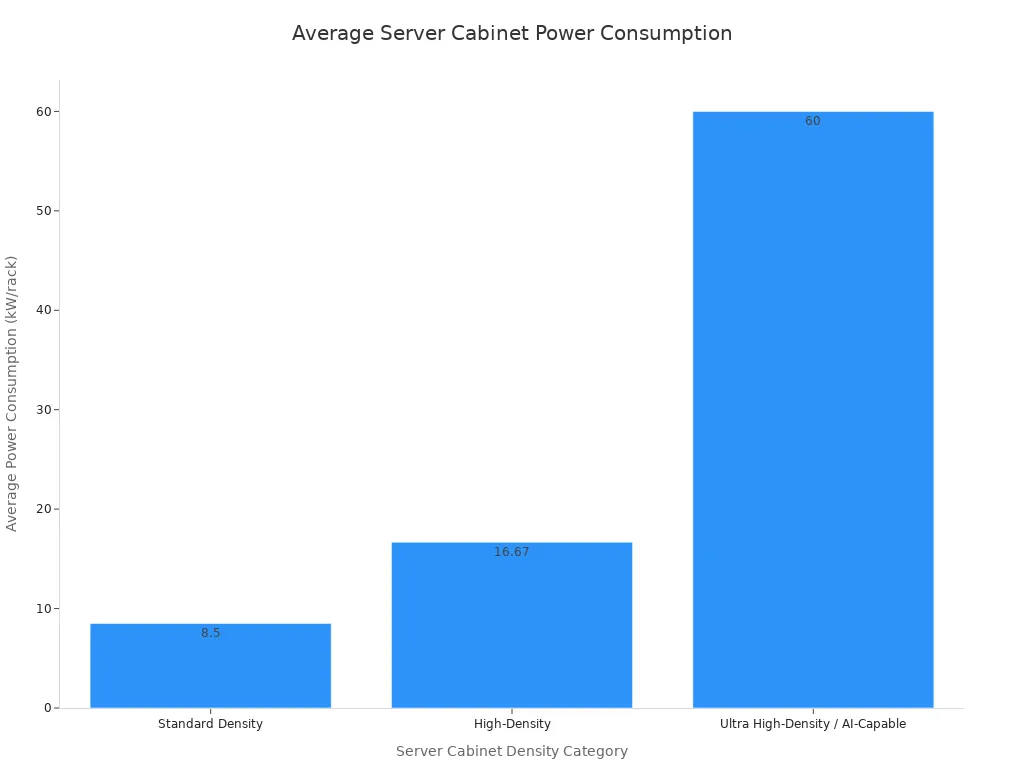
I think of a Rack Mount PDU as the essential power hub for any server cabinet. It distributes electricity to all your devices, ensuring they stay online. Power failures cause nearly half of all data center outages, so a dependable Server Rack Power Strip is truly indispensable. Just consider the increasing power demands:
Key Takeaways
- Rack Mount PDUs are like power strips for server cabinets. They give power to all your devices and help keep them running smoothly.
- Smart PDUs do more than just give power. They let you watch how much power your devices use and even turn them on or off from far away. This saves energy and helps prevent problems.
- Choosing the right PDU helps you save space, protect your equipment from power problems, and keep your server cabinet organized. This makes your data center work better and last longer.
The Essential Role of Rack Mount PDUs
Power Distribution and Management
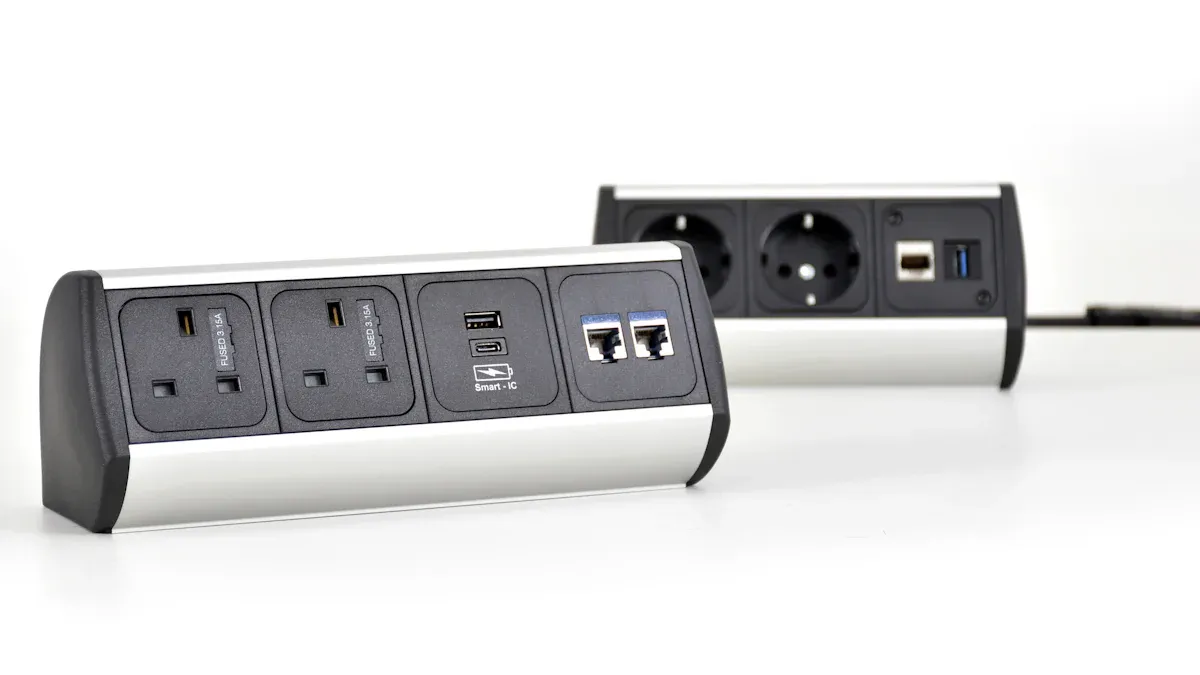
I see Rack Mount PDUs as the central nervous system for power in my server cabinet. They do more than just distribute electricity; they actively manage it. I find that intelligent rack PDUs are especially helpful because they track energy consumption. This helps me spot inefficiencies and prevent downtime. For example, I can monitor real-time power use and event logs. This gives me a clear picture of how much energy each PDU and outlet draws. It even helps me find “energy hogs” – those pieces of equipment that use too much power. I can then make smart decisions, like turning off unloaded PDUs or modules, which actually makes the remaining units work more efficiently.
Ensuring System Reliability and Uptime
I know how critical it is to keep my systems running smoothly. That’s where Rack Mount PDUs really shine. They provide uniform power distribution to devices like servers and routers, which prevents circuit overloads and keeps everything stable. I’ve learned that unstable power, like frequent surges or drops in voltage, can really damage server components. That’s why connecting my servers to a PDU is so important. These units often include built-in features like surge protection and load balancing. This safeguards my equipment from electrical damage and optimizes power usage, extending the lifespan of both the PDU and my connected devices. It gives me peace of mind knowing my hardware is protected.
Optimizing Space within Server Racks
I’m always looking for ways to make the most of the space in my server racks. Rack Mount PDUs are fantastic for this. They fit perfectly into standard 19-inch racks, which is a huge plus for organization. They also offer great cable management solutions. This helps me keep my server cabinet neat and tidy, which is not just about aesthetics; it also improves airflow and makes maintenance much easier. By integrating PDUs directly into the rack, I free up valuable floor space and create a much more efficient and organized data center environment.
Understanding Power Requirements for Your Server Rack Power Strip
When I choose a Server Rack Power Strip, I know understanding power requirements is crucial. It ensures my equipment gets the right amount of power without issues. This knowledge helps me avoid overloads and keeps everything running smoothly.
Voltage, Amperage, and Circuit Breakers
I always pay close attention to voltage and amperage. These tell me how much power my devices need and how much the PDU can safely deliver. For instance, NEMA outlets are common in North America. They handle voltages from 125V to 600V and currents from 15A to 60A. Globally, I often see IEC outlets, which are great for compact devices like servers. They operate up to 250V and 16A. My power strips typically use nominal voltages like 115 VAC, 208 VAC, or 230 VAC. Frequencies are usually 50Hz in Europe or 60Hz in North America. Circuit breakers are my safety net; they trip if too much current flows, protecting my valuable gear from damage.
Single-Phase vs. Three-Phase Power Distribution
I often consider if I need single-phase or three-phase power. For smaller setups, single-phase works well. A 1-phase 60A PDU can deliver about 10kW, which is quite a bit of power. It also uses fewer circuit breaker poles, saving space in my electrical panel. However, I’ve learned that single-phase power isn’t practical for very high-density server racks, like those needing 15kW. Powering a 15kW rack at 120 VAC with single-phase would draw 125 Amps. This needs really thick copper wiring, which is hard to manage and expensive. For larger data centers, three-phase power becomes more efficient.
Outlet Types and Configurations
I also need to pick the right outlet types for my devices. The most common ones I encounter are IEC 60320 C13 and C19 outlets. C13 outlets are smaller and more numerous, often found on a Server Rack Power Strip. C19 outlets handle higher power and are fewer in number. For example, I might see a PDU with a NEMA L6-30P input plug, providing 230 V AC input and 208 V AC output. This PDU could have 30 C13 outlets and 6 C19 outlets. Another PDU might use a NEMA L15-30P input, offering 8.6kW at 208V, with 18 C13 and 6 C19 outlets. Matching these to my server’s power cords is essential.
Mounting Options for Rack Mount PDUs
When I set up my server cabinet, I know how important it is to choose the right way to mount my PDUs. The mounting option I pick really affects how organized and efficient my rack is. I have a few good choices, and each one helps me manage power differently.
Horizontal Rack PDU Placement
I often see horizontal PDUs mounted right across the front or back of a server rack. They usually take up 1U or 2U of space, which means they fit into the standard rack units. I find these are great for smaller setups or when I have fewer devices to power. They are easy to access, and I can quickly plug in my equipment. It is a straightforward way to get power to my servers and switches.
Vertical Rack PDU Solutions
For larger racks or when I need more outlets, I usually go for vertical PDUs. These mount along the side of the rack, from top to bottom. I like them because they do not take up any of my precious horizontal rack space where my servers sit. This means I can fit more equipment into my rack. Vertical solutions are perfect when I have many devices that need power, and I want to keep my rack neat.
Zero U Mounting for Space Efficiency
I really like Zero U mounting for my Rack Mount PDUs. This method is a game-changer for saving space. Zero U PDUs mount vertically, usually in the rear channel or side pockets of the rack. This design frees up all the horizontal rack space for my critical equipment like servers. It means I do not have to use any of my valuable 1U or 2U slots for a Server Rack Power Strip. By mounting vertically, I maximize the device capacity within my rack. This approach dedicates horizontal space solely to servers and other essential devices. It also optimizes vertical space, which helps me support high-density setups without making it hard to reach anything or affecting performance.
Types of Rack Mount PDUs and Their Functionality
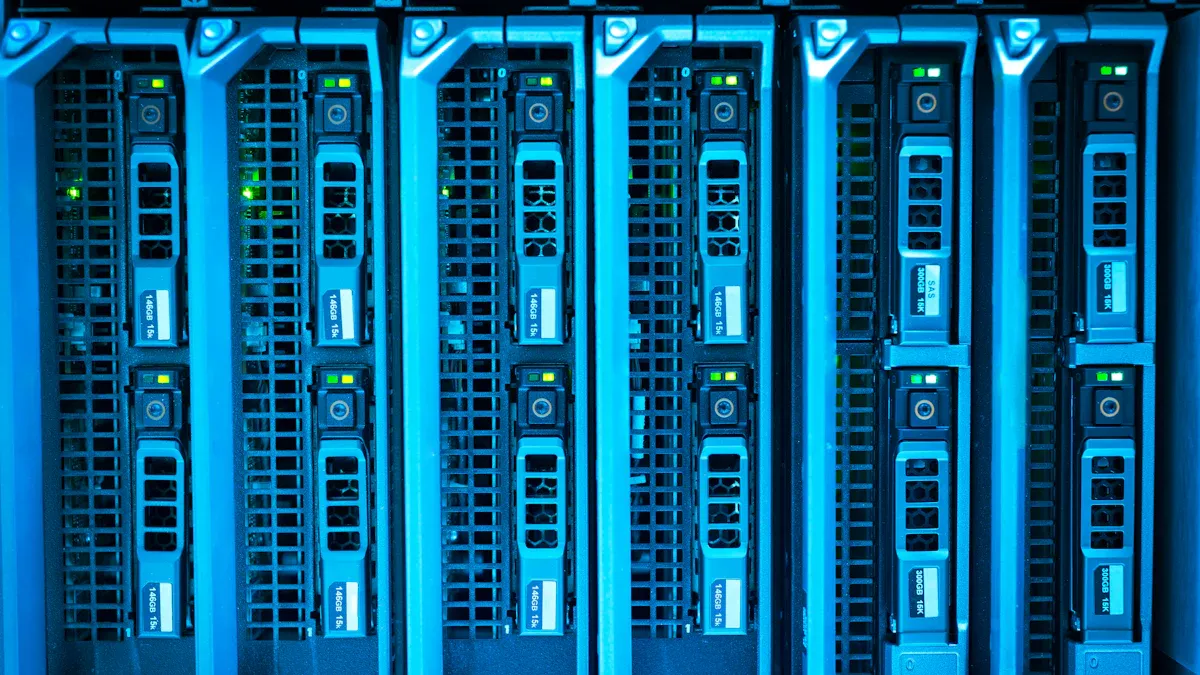
When I look at Rack Mount PDUs, I see a range of options. Each type offers different features to help me manage power in my server cabinet. Choosing the right one depends on my specific needs for monitoring, control, and budget. Let’s explore the main types I often encounter.
Basic Rack Mount PDUs
I think of basic Rack Mount PDUs as the workhorses of power distribution. They are simple and reliable. They just deliver power to my equipment without any fancy features. I use them when I need a straightforward power solution.
| PDU Type | Description | Best For |
|---|---|---|
| Basic PDUs (aka Dumb PDUs) | Simple, high-capacity power strips without remote access or monitoring features, though they may include circuit protection. | Budget-conscious setups, test environments, and stable infrastructures. |
I find these basic rPDUs are great for giving power to my critical IT gear in a rack. They are entry-level and cost less, which is good for my budget. They come with many different electrical and outlet options to fit my needs. I also make sure they follow regional rules, like UL in North America or CE in EMEA. This is important for my data center and for insurance.
Metered Rack Mount PDUs
I really like metered Rack Mount PDUs because they give me a clear picture of my power use. These PDUs collect data on how much power my server racks are using. This helps me figure out my Power Usage Effectiveness (PUE) and find ways to save energy.
- They offer 1% billing-grade accuracy. This is super important for precise monitoring and billing, especially if I’m in a colocation center. I get outlet-level data for fair and clear billing.
- These units let me see my equipment’s power use in real-time. I can see exactly how much power my servers and network gear are drawing.
- Metered PDUs measure and report power use. They offer remote monitoring through web interfaces or special software. They have a +/- 1% precision for “billing-grade” accuracy.
- Detailed power use data helps me find overloaded circuits and “ghost servers.” This can save a lot of money and make my power setup better. For example, Target saved 261,000 kWh each year by doing this.
I find that a metered Server Rack Power Strip helps me keep an eye on things. It gives me accurate and full energy metering. This lets me monitor and control my energy use. It helps me use power better for billing, avoid extra costs, and correctly track power use for all or individual outlets.
Monitored Rack Mount PDUs
Monitored Rack Mount PDUs take things a step further than metered ones. While metered PDUs show me power use locally, monitored PDUs let me see that data remotely. I can connect them to my network and check power consumption from my desk. This gives me a better overview of my entire data center’s power health. I can set up alerts to tell me if power levels go too high or too low. This helps me catch problems before they become big issues. It’s like having an extra set of eyes on my power infrastructure, even when I’m not physically in the server room.
Switched Rack Mount PDUs
Switched Rack Mount PDUs are my go-to when I need full control. These PDUs let me remotely turn individual outlets on or off. This is incredibly useful! If a server freezes, I don’t have to go to the data center to reboot it. I can just log in and power cycle that specific outlet.
With remote management, I get centralized power control. I can manage many racks from one dashboard. This makes things more efficient and keeps my IT environment secure.
- Reduced Downtime: A remote switched PDU lets me react fast when something goes wrong. I can restart equipment instantly. This cuts down on interruptions and prevents long outages. I find this very helpful in server rooms where uptime is key.
- Comprehensive Monitoring: Modern switched PDUs have sensors that measure voltage and current. They show this data on dashboards I can access from anywhere. This helps me spot problems before they cause trouble. For example, I can see a sudden voltage drop and prevent damage to sensitive equipment. This creates stable environments.
- Enhanced Security: Switched PDUs give me control and insight for better security. They are much better than older systems. They keep operations running smoothly and efficiently with remote access and automated controls for precise monitoring.
I find that a switched Server Rack Power Strip gives me peace of mind. I can manage my equipment from anywhere, which saves me time and keeps my systems running smoothly.
Advanced Features of Modern Rack Mount PDUs
I find that modern Rack Mount PDUs offer so much more than just basic power distribution. They come with advanced features that really help me manage my data center better. These features make my life easier and my systems more reliable.
Remote Monitoring and Management Capabilities
I love being able to check on my PDUs from anywhere. Modern PDUs let me do this with remote monitoring. I can use a web browser to access them, often through secure HTTPS. This encrypts my login details and settings. I also use SNMP, which helps me track power usage and outlet status in real-time. It even lets me integrate with other alarm systems. I can issue commands like “turn on” or “reboot” from my computer. This saves me a trip to the server room.
Environmental Sensing and Alerts
My advanced PDUs can also keep an eye on the environment inside my rack. They automatically detect different digital sensors. I often use temperature and humidity sensors to check conditions at the front and back of my racks. I can even get a rope fluid leak sensor to warn me about water. These sensors help me catch problems like overheating or leaks early. This prevents damage to my expensive equipment.
Outlet-Level Control and Power Cycling
Having control over each individual outlet is a huge benefit. I can monitor power use for each device, which helps me find energy hogs. If a server freezes, I can remotely power cycle just that one outlet. This saves me time and keeps my systems running. Real-time monitoring and alerts tell me about issues before they get big. This makes troubleshooting much faster.
Redundancy and Failover Mechanisms
I always aim for maximum uptime, so redundancy is key. Advanced PDUs support configurations like 2N redundancy. This means I have a backup power path for everything. If one power source fails, the other takes over seamlessly. This prevents single points of failure and keeps my critical systems online. It gives me peace of mind.
Surge Protection and Power Filtering
Protecting my equipment from electrical spikes is very important. My enterprise-grade PDUs often include surge protection. They can handle a maximum surge current of 90,000 A and suppress surges up to 1800 Joules. They also have EMI/RFI filtering. This cleans up electrical noise from 150 KHz to 150 MHz. This protection keeps my sensitive electronics safe from power fluctuations.
Selecting the Right Rack Mount PDU for Your Needs
When I choose a Rack Mount PDU, I know it’s a big decision. It affects how well my data center runs. I always think about what I need now and what I might need later. This helps me pick the best PDU for my setup.
Assessing Current and Future Power Demands
First, I always look at my current power needs. I use a simple way to estimate this: I multiply the number of servers by the average power each server uses. For example, if I have 20 servers and each uses 0.5 kW, that’s 10 kW total. But I know this is just a start. For a more exact number, I check the power ratings of every single device. I also think about how much power they use when they are really busy, at their peak. I even add in the power needed for cooling systems. This gives me a much clearer picture.
I also plan for power at different levels. I identify what power and cooling each row of server racks needs, based on the types and number of devices. Then, I check if my data center’s power and cooling systems can handle these needs. If there’s a gap, I make a plan. This might mean upgrading things, moving equipment, or adding new rows. I keep watching the power and cooling use for each row and adjust my plan as needed. I also look at the whole room. This means I evaluate the total capacity for the entire data center, including all the racks, power, cooling, and network gear. This big picture view makes sure everything is supported without overloading any system.
Intelligent rack PDUs are a huge help here. They constantly monitor power quality. These meters measure power use, find unused capacity, and give me data for PUE calculations. I monitor power at both the PDU input and for each device. This helps me catch harmful power events. If power levels go too high or low, an alarm system sends me alerts. Some advanced PDUs even capture waveforms for detailed analysis. I make sure my equipment follows standards like UL/IEC for accurate information. I really believe intelligent rack PDUs are the best way to monitor power in my data center. They give me real-time measurements. This helps me cut costs, save energy, improve uptime, and manage my existing data center capacity better. Newer models, like Legrand’s Raritan PX4 and Server Technology PRO4X, even give me advanced power quality details at both the PDU input and individual outlets.
Looking ahead, I also think about future power demands. This is tricky because many things can change. I consider different ways to guess future needs. Some methods add up new equipment and trends. Others look at bigger energy use estimates and demand for data center services. I know that power limits can slow down data center building by a lot, sometimes up to 72 months. Also, shortages of key parts like transformers and AI chips can cause problems. The future of AI is still a bit unknown, and that affects my plans too.
I also think about how efficient hardware and software are becoming. Better hardware, like from Nvidia and Arm, and smarter software can change how much energy I need. Improvements in cooling systems, which can use 40% of my energy, also help. Big economic changes, like tariffs or global events, can also impact how much I invest in data centers and what my future power needs will be.
Budgetary Considerations and Scalability
When I think about my budget, I know that the cheapest option isn’t always the best in the long run. Investing in advanced PDU features, especially smart PDUs, often pays for itself very quickly. I’ve seen them give a return on investment in just a few months. This is because they save a lot of energy and money. For example, a mid-sized data center can save about $50,000 a year on energy costs. They can also cut overall energy use by up to 20% after using smart PDUs.
I compare different types of PDUs based on their costs.
| Cost Factor | Basic PDUs | Metered/Monitored PDUs | Switched PDUs |
|---|---|---|---|
| Upfront Acquisition | Low initial purchase and installation costs | Higher than basic due to monitoring features | Highest due to advanced remote control features |
| Operational Costs | Higher due to lack of monitoring and management | Reduced by visibility into power usage and remote management | Further reduced by remote outlet control and energy optimization |
| Downtime Costs | Potentially higher due to lack of remote troubleshooting | Lower due to monitoring and early alerts | Lowest due to ability to remotely reboot and manage devices |
| End-of-Life Costs | Higher because of shorter lifespan and frequent replacements | Lower due to longer lifespan and better management | Lowest due to extended equipment life and efficient management |
While basic PDUs cost less to buy, they often lead to higher costs later on. This is because they don’t monitor power, which can mean more downtime and a shorter lifespan for my equipment. On the other hand, intelligent, metered, and switched PDUs cost more at first. But they save me money over time. They offer real-time power monitoring, remote control, and data analysis. This helps me find unused equipment, optimize power use, and prevent outages with early warnings. This means big savings on energy, lower maintenance costs, and less downtime. It makes my operations more reliable. Energy-efficient models can cut my operational expenses by up to 30% through real-time monitoring and outlet-level control. Integrating PDUs with my DCIM systems can also cut operational costs by 20% and downtime by up to 25%. I’ve heard of a data center in Asia that improved energy efficiency by 15% with energy-efficient PDU models. A telecommunications company saw a 20% increase in equipment uptime and lower maintenance costs after switching to intelligent PDU units. Target saved 261,000 kWh every year by turning off unused units with advanced PDU features. Companies like eBay have even cut operating costs by 50% with detailed energy monitoring from smart PDUs.
Integration with Existing Infrastructure
I always make sure any new PDU I choose will work well with my existing data center setup. This is super important for smooth operations. I need my new PDUs to communicate using standard protocols like SNMP, Modbus TCP, BACnet IP, or MQTT. This ensures they “speak the same language” as my current system.
I also make sure that the new devices won’t need any special changes to my existing data center management software. I don’t want to have to modify APIs or other parts of my system. Seamless compatibility means I get the most out of my investment in my BMS or DCIM software. It doesn’t matter who made my current data center parts—like GE, Schneider, Eaton, Vertiv, Liebert, Starline PDUs, or other equipment. Any new metering components I pick must integrate perfectly with all of them. Universal compatibility also lets me move monitors around easily or expand my system as my needs grow and my budget allows.
Best Practices for Rack Mount PDU Installation and Maintenance
I know that getting the right Rack Mount PDU is only half the battle. Proper installation and ongoing care are just as important. These steps help keep my systems running smoothly and efficiently.
Effective Cable Management Strategies
I always make sure my cables are neat. Organizing them promotes proper airflow. This prevents overheating and minimizes equipment failure. I use vertical cable management to route cables from top to bottom. Tools like cable trays and vertical cable managers help me maximize airflow. Horizontal cable management organizes cables along the horizontal plane, usually front to back. I use cable managers or lacing bars for this. I also leave space between servers for better airflow. Using blanking panels in unused rack spaces directs airflow through active equipment. I position heavier, power-hungry equipment near the bottom to optimize airflow. I organize cables to increase airflow efficiency, routing them away from equipment vents. I invest in accessories to maintain proper bend radii for my cables.
Load Balancing for Optimal Performance
I know load balancing is crucial for my power setup. I always ensure true 2N redundancy. This means each power path can support 100% of the rack’s load independently. I never exceed 80% of a PDU’s maximum current rating, as per NEC code. For balanced mode, I keep each PDU under 40% of its maximum rating during normal operation. This way, if one power source fails, the other PDU can handle the entire load. I actively monitor balancing between phases using my intelligent PDUs. I configure them to alert me if phases are unbalanced. Unbalanced loads can cause negative sequence currents, reduce UPS efficiency, and increase thermal stress. They can also accelerate equipment aging and lead to nuisance trips. This affects the operational lifespan of my Server Rack Power Strip and overall efficiency.
Regular Maintenance and Firmware Updates
I also make sure to keep my PDUs updated. Regular maintenance and firmware updates are important. They ensure my PDUs run at their best. I check for any loose connections and clean dust buildup. Firmware updates often bring new features and security patches. This keeps my power distribution system reliable and secure.
I now understand Rack Mount PDUs are truly critical for my data center. Choosing a future-proof PDU means I look for advanced features and scalability. The right PDU dramatically improves my efficiency, boosts reliability, and saves me money. It protects my valuable equipment and keeps my operations running smoothly.
FAQ
What is a Rack Mount PDU?
I see a Rack Mount PDU as a specialized power strip. It distributes electricity to all my devices inside a server cabinet. It keeps everything powered up.
Why do I need a PDU in my server cabinet?
I need a PDU to safely distribute power. It prevents overloads and protects my valuable equipment. It also helps me manage power efficiently.
What’s the difference between basic and smart PDUs?
I find basic PDUs just deliver power. Smart PDUs, like metered or switched ones, let me monitor and control power remotely. They offer more features.
Post time: Dec-22-2025


