


A Rack Mount PDU is a device that distributes power from a main electrical source to various IT equipment within a server cabinet. This Cabinet PDU minimizes the distance between your equipment and power outlets, which helps with efficient power distribution. This Server Rack Power Strip is essential for managing power loads effectively, ensuring that your server rack operates smoothly.
Key Takeaways
- Rack Mount PDUs enhance power distribution efficiency by offering features like remote monitoring and load balancing, which help prevent overloads and equipment failures.
- Monitoring capabilities of Rack Mount PDUs allow for early detection of issues, such as overheating, ensuring maximum uptime and reducing potential downtime costs.
- Choosing the right Rack Mount PDU involves considering factors like power capacity, outlet configuration, and monitoring features to optimize performance and reliability.
Benefits of Rack Mount PDU
Efficient Power Distribution
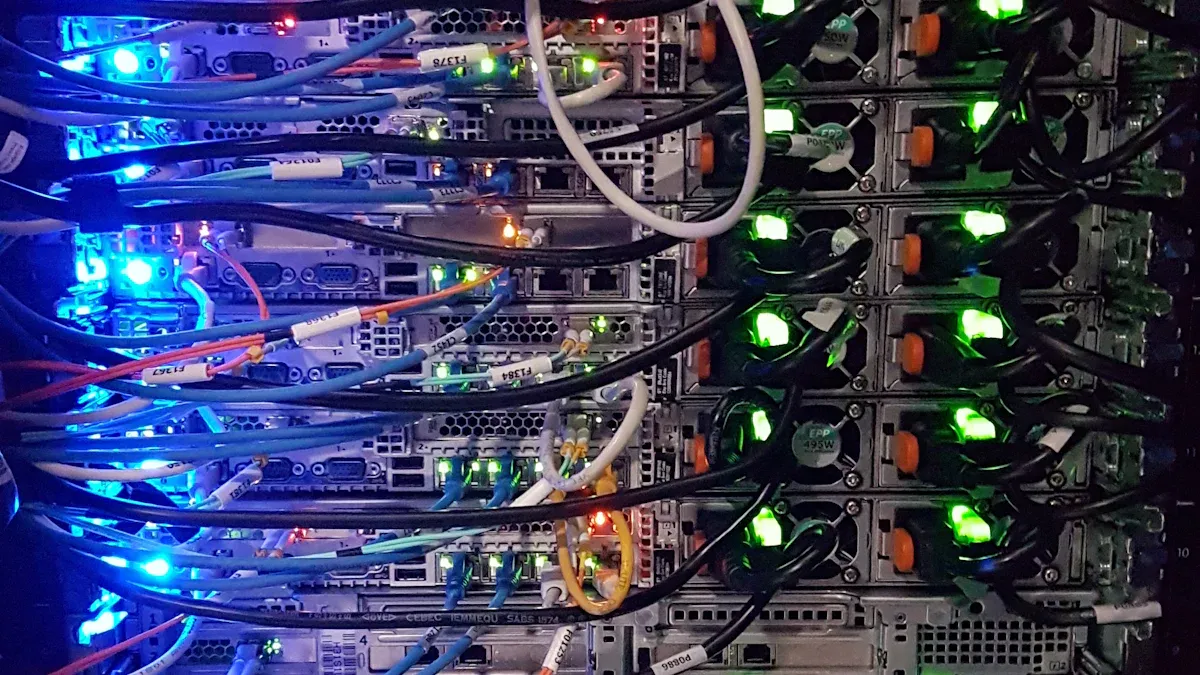
When I think about power distribution in server cabinets, the efficiency of a Rack Mount PDU stands out. Unlike traditional power strips, these devices offer several advantages that enhance performance. For instance, they allow for remote monitoring, load balancing, and energy consumption tracking. This means I can keep an eye on how much power each piece of equipment uses, which helps prevent overloads and potential failures.
Here’s a quick comparison of features between a Rack Mount PDU and a traditional power strip:
| Feature | Rack Mount PDU | Traditional Power Strip |
|---|---|---|
| Remote Monitoring | Yes | No |
| Load Balancing | Yes | No |
| Energy Consumption Tracking | Yes | No |
| Alerts for Equipment Failure | Yes | No |
| Rack-Level Power Monitoring | Yes | No |
This table shows how a Rack Mount PDU can significantly improve power distribution efficiency in server cabinets. By utilizing these advanced features, I can reduce downtime and enhance the overall reliability of my server environment.
Monitoring Capabilities
Monitoring capabilities are another major benefit of Rack Mount PDUs. These devices come equipped with features that allow me to manage power usage effectively. For example, I can receive alerts for overheating or equipment failure, which helps me address issues before they escalate.
The benefits of these monitoring features are clear:
| Feature | Benefit |
|---|---|
| Remote Monitoring and Management | Centralized power control and efficiency in managing multiple racks from one dashboard. |
| Environmental Sensing and Alerts | Early detection of issues like overheating or leaks, preventing damage to equipment. |
| Outlet-Level Control and Power Cycling | Ability to monitor and control individual outlets, improving troubleshooting and uptime. |
| Redundancy and Failover Mechanisms | Ensures maximum uptime by providing backup power paths, preventing single points of failure. |
| Surge Protection and Power Filtering | Protects sensitive electronics from electrical spikes and noise, ensuring stable operation. |
According to a recent ITIC report, the financial impact of server downtime can be staggering, with costs ranging from $1,670 to $16,700 per minute depending on the severity of the outage. This highlights the critical need for effective monitoring solutions to minimize downtime and its associated costs.
Space Efficiency
Space efficiency is crucial in any server cabinet setup. Rack Mount PDUs are designed specifically for racks, allowing for vertical or horizontal installation. This flexibility helps me maximize usable rack space and keep everything organized.
Here are some ways Rack Mount PDUs contribute to space efficiency:
- They fit perfectly into standard server racks, ensuring compatibility with existing setups.
- Their design reduces cable clutter, making it easier to manage connections.
- I can install them in various orientations, which simplifies cable management and enhances airflow.
By using a Rack Mount PDU, I not only optimize power distribution but also create a more organized and efficient server environment.
Types of Rack Mount PDU

Basic PDU
When I think about Basic PDUs, I see them as the simplest form of power distribution units. They act like power strips, distributing electricity to various devices without any monitoring features. This simplicity makes them a great choice for certain environments.
Here are some key points about Basic PDUs:
- They are primarily used for small-scale setups.
- They work well for cost-conscious users who need reliable power without the bells and whistles.
- I often find them in small offices, workshops, and network closets.
While they serve their purpose, Basic PDUs lack advanced functionalities. For instance, they don’t provide insights into power usage or allow for remote management. Here’s a quick comparison of Basic PDUs against more advanced options:
| Feature | Basic PDU | Monitored/Switched PDU |
|---|---|---|
| Power Distribution | Yes, simple power strip | Yes, with advanced features |
| Data Collection | No | Yes |
| Remote Management | No | Yes |
| Outlet-Level Control | No | Yes |
| Cost | Generally lower | Generally higher |
Metered PDU
Metered PDUs take things a step further. They provide real-time power monitoring, which is crucial for managing energy consumption effectively. I appreciate how they help me keep track of power usage, allowing me to identify inefficiencies and optimize energy use.
Here are some standout features of Metered PDUs:
- They offer real-time insights into power consumption, helping to prevent power issues.
- I can access monitoring data remotely, which simplifies management.
- They display aggregate power consumption, making it easier to manage energy across multiple devices.
Metered PDUs are particularly useful in data centers. They help with load balancing, ensuring even distribution of power across all outlets. This capability reduces waste and enhances overall efficiency.
To illustrate the differences between Metered and Basic PDUs, here’s a quick comparison:
| Feature | Metered PDUs | Basic PDUs |
|---|---|---|
| Power Monitoring | Yes, provides real-time power data | No, does not provide consumption data |
| Remote Access | Yes, allows remote monitoring | No, local access only |
| Data on Consumption | Yes, displays aggregate power consumption | No, functions like a basic power strip |
| Energy Management | Enhanced capabilities for managing energy use | Limited to power distribution only |
Smart PDU
Smart PDUs are the most advanced option available. They combine all the features of Metered PDUs with additional functionalities that make them indispensable in modern data centers. I find that more than 50% of data centers now utilize Smart PDUs for remote management and automation.
Here’s what sets Smart PDUs apart:
- They offer comprehensive remote monitoring and control.
- They integrate environmental sensors for temperature, humidity, and airflow.
- I can access detailed analytics and reporting capabilities, which help me make informed decisions about power management.
Smart PDUs also allow for proactive notifications about potential issues, such as overload conditions. This feature helps me address problems before they escalate, ensuring maximum uptime for my equipment.
Key Features of Cabinet PDU
Outlet Configuration
When I choose a Rack Mount PDU, outlet configuration is one of the first things I consider. The right configuration ensures compatibility with various server equipment. Here are some common outlet types I often encounter:
| Outlet Type | Description |
|---|---|
| HDOT | Offers the most outlets in a 42U tall intelligent rack PDU. |
| HDOT Cx | Combines a C13 and C19 into one flexible outlet that can accommodate a C14 or a C20 plug. |
Having the correct outlet design helps prevent deployment obstacles. I always make sure to match the AMP requirements with my server equipment. Additionally, I check that the number of outlets aligns with the devices I plan to use.
Power Capacity
Power capacity is another critical feature. I’ve learned that selecting the appropriate capacity impacts both safety and performance. Here’s a quick look at standard power capacities for Rack Mount PDUs:
| Power Type | Current (Amps) | Voltage (V) | Power Capacity (kW) |
|---|---|---|---|
| Single-phase | Up to 30A | 208V | 5.0 |
| Three-phase | Up to 125A | 480V/277V | Up to 86.6 |
Choosing the right power capacity ensures that my equipment runs smoothly without overloading. I also consider redundancy configurations, like N+1, to maintain continuous power during failures.
Surge Protection
Surge protection is essential for safeguarding my equipment. I always look for Rack Mount PDUs that integrate surge protection modules. These include:
- MOVs (Metal Oxide Varistors) that absorb or divert surges.
- TVS (Transient Voltage Suppressors) that clamp residual transient voltage.
These features protect sensitive devices from power surges caused by lightning strikes or electrical faults. I’ve seen firsthand how effective surge protection can be. In one instance, a facility experienced two direct lightning strikes, yet the surge protective devices clamped transient voltages to safe levels, resulting in no equipment damage.
Installation Tips for Server Rack Power Strip
Pre-Installation Checklist
Before I dive into the installation of my Rack Mount PDU, I always make sure to follow a thorough checklist. Here’s what I typically include:
- Always wear protective gloves and goggles when handling electrical components.
- Verify that my tools and supplies meet the necessary safety certifications.
- Align the PDU with the mounting brackets in my server rack.
- Use screws or locking devices to attach the PDU firmly to the brackets.
- Double-check that the PDU is level and stable using a level tool.
- Tighten all screws to prevent movement during operation.
- Ensure the power cord is long enough to reach the outlet without stretching.
- Plug the PDU into a surge-protected outlet or an uninterruptible power supply (UPS).
- Secure the connection using high-strength locking devices to prevent accidental unplugging.
Mounting Procedures
When it comes to mounting the PDU, I follow a few essential steps to ensure everything goes smoothly:
- Verify that all parts are included using the Rack-Mount Kit Checklist.
- Follow the specific steps for mounting, using the appropriate screws and brackets.
- Refer to figures for visual guidance on mounting configurations.
- Ensure proper grounding connections are made during installation.
I also keep safety in mind. Here are some guidelines I always follow:
| Safety Guidelines | Description |
|---|---|
| Avoid flammable materials | Never power up the PDU near flammable liquids or hazardous materials. |
| Use insulated tools | Always follow electrical safety rules and use insulated tools. |
| Plan mounting location | Keep cables organized and airflow clear; avoid blocking vents or fans. |
| Secure mounting | Use correct screws and brackets; align mounting brackets with cabinet holes. |
| Verify cabinet dimensions | Plan placement for easy access and optimal performance. |
Testing and Verification
After mounting, I never skip the testing phase. I check that the PDU powers on correctly and that all outlets function as expected. I also monitor the load to ensure it doesn’t exceed the recommended limits. This step helps me avoid potential issues down the line.
By following these installation tips, I can ensure that my Rack Mount PDU operates efficiently and safely, providing reliable power to my server cabinet.
Choosing the right Rack Mount PDU is crucial for keeping my server cabinet running smoothly. Here are some key factors I always consider:
- Capacity and load requirements
- Redundancy and reliability
- Outlet types and quantity
- Monitoring capabilities
- Form factor and mounting options
By focusing on these aspects, I enhance power management, improve energy efficiency, and minimize downtime. Investing in a quality PDU pays off in the long run, ensuring my equipment stays operational and efficient.
FAQ
What is the main purpose of a Rack Mount PDU?
A Rack Mount PDU distributes power to multiple devices in a server cabinet, ensuring efficient power management and reducing the risk of overload.
How do I choose the right Rack Mount PDU for my needs?
I consider factors like power capacity, outlet configuration, and monitoring features to match my specific equipment requirements.
Can I install a Rack Mount PDU myself?
Yes! I’ve installed several myself. Just follow the manufacturer’s instructions and ensure safety precautions are in place.
Post time: Feb-02-2026


